November 24, 2026 · Guides
Best Co-operative Society Software: Buyer’s Checklist
Most co-operative societies do not change software because it looks old. They change it when the month-end trial balance refuses to tally, an auditor asks for a loan ageing list that takes two days to build, or a pigmy agent’s collection goes missing between the diary and the ledger. If that sounds familiar, this checklist will help you compare vendors on the things that actually matter.
In this guide
- 1. Member and share capital register
- 2. Deposits, pigmy and daily collection
- 3. Loans, recovery and NPA
- 4. Accounts and audit reports
- 5. Control, security and support
- How to run a demo that tells you the truth
- FAQs
1. Member and share capital register
Everything in a society hangs off the member record, so start here. A good system keeps one record per member with KYC, nominee, share capital, and every deposit and loan linked to that member.
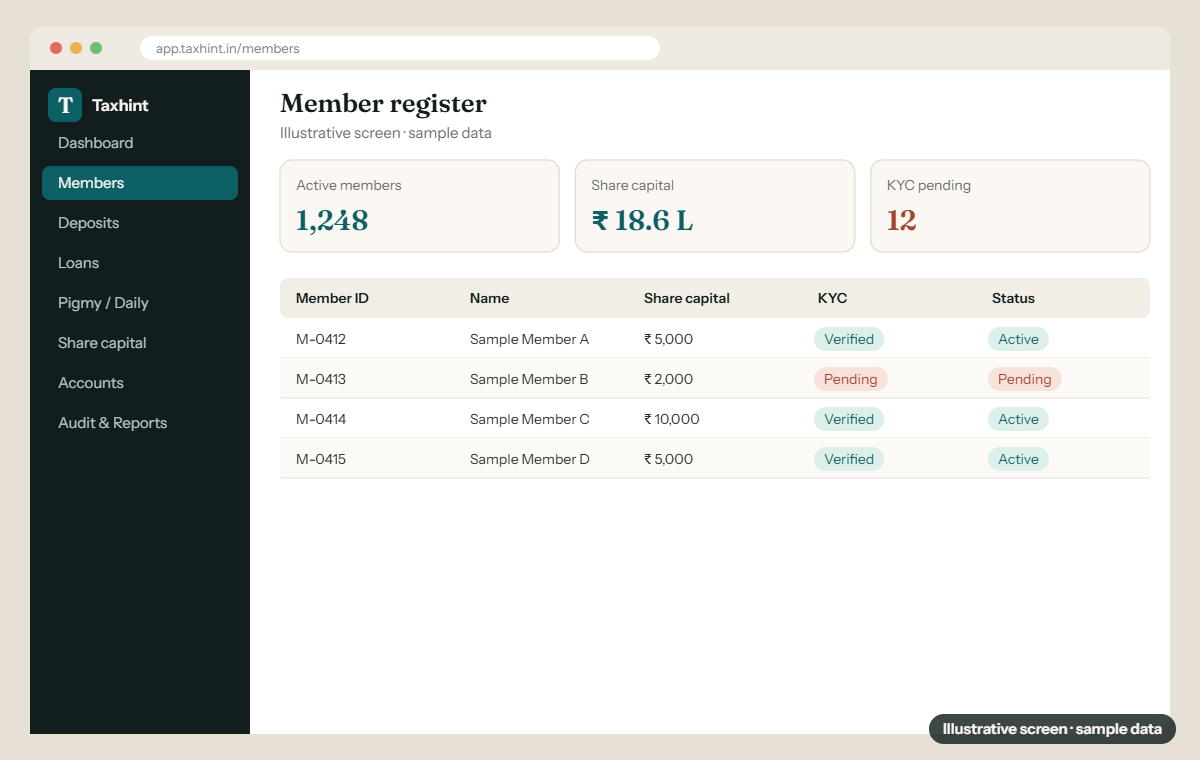
- Member number, KYC documents and nominee on one screen
- Share capital entry, transfer and refund with a clear history
- Admission and withdrawal handled as a proper workflow, not a manual edit
- One member, many accounts: savings, FD, pigmy and loans visible together
2. Deposits, pigmy and daily collection
Deposits are the lifeline of most societies, and this is where weak software hurts first. Check that savings, fixed and recurring deposits each have their own interest rules, and that interest posts without manual journal entries.
If you run pigmy or daily collection, ask to see the agent flow end to end: collection entry, posting to the member account, the agent’s daily total and the commission. Our own pigmy deposit software page shows how that flow can work, and it calculates agent commission automatically.
- Savings, FD, RD and pigmy with separate interest rules
- Maturity and renewal alerts so nothing is missed
- Agent-wise collection report that ties to the cash book
- Premature closure and penalty handled with an audit trail
3. Loans, recovery and NPA
Loan modules look similar in demos and behave very differently in month-end. Ask for the same loan to be sanctioned, disbursed, part-paid and then allowed to go overdue, and watch what the software does at each step.
- Loan types you actually offer, with their own rates and rules
- Guarantors and security recorded against the loan
- EMI schedule, part payment and foreclosure that recalculate correctly
- Overdue list and ageing without building it in Excel
- NPA classification that follows the norms your auditor expects
Societies that also lend against gold or vehicles can look at the gold loan and vehicle loan modules, which run inside the same member account.
4. Accounts and audit reports
Accounts should not be a separate job. Every deposit, loan and collection entry should post to the ledger on its own, so the trial balance is a report, not a project.
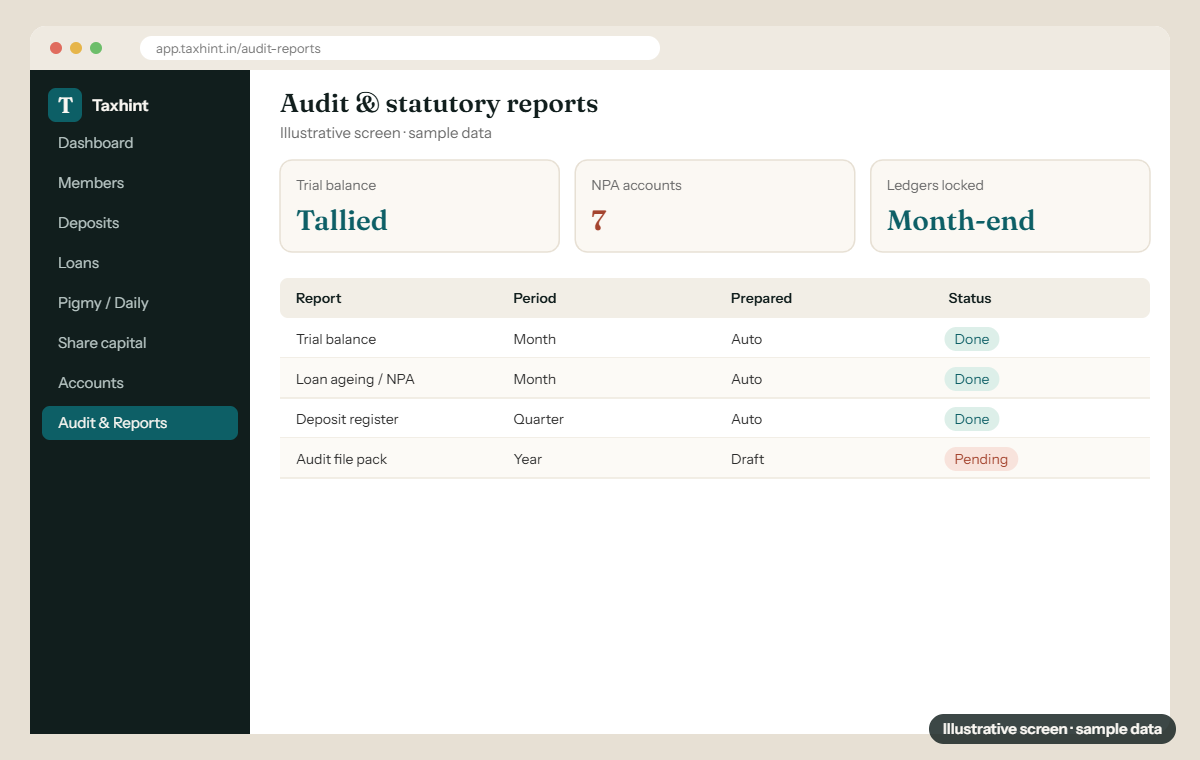
- Auto-posting from every module to the ledger
- Day book, cash book, trial balance and balance sheet at any date
- Month-end and year-end locking so closed periods cannot be edited
- Loan ageing, deposit register and the statements your auditor asks for each year
5. Control, security and support
- Role-wise logins for manager, cashier, accountant, agent and auditor
- Activity log showing who changed what and when
- Regular backups, and a way to export all your data at any time
- Branch-wise working if you have or plan more than one branch
- Support in your language, with a named contact and response time in writing
Is your society type covered?
The core needs are the same, but the rules around them are not. Compare these pages for your type: co-operative society software, credit and thrift society software, multi-state co-operative society software and patsanstha software. The wider range is on our fintech software page. Please verify society-type rules with your registrar or auditor before you finalise any setup.
How to run a demo that tells you the truth
- Give the vendor 20 sample members, 10 loans and a week of pigmy collections.
- Ask them to enter a month of data live, including one overdue loan and one premature FD closure.
- Ask for the trial balance, loan ageing and agent collection report from that data.
- Ask what happens when a wrong entry is posted. Look for reversal with a log, not silent deletion.
- Ask for the full price in writing, including setup, training, support and any per-user or per-branch charges.
- Ask to speak to a society of your type that already uses the software.
- Ask for a written import plan for your existing data, with who checks the opening trial balance.
If a vendor cannot do steps 2 and 3 live, treat that as your answer.
FAQs
How is co-operative society software different from normal accounting software?
Normal accounting software tracks vouchers and ledgers. Society software also keeps the member register, share capital, deposits, loans, recovery and the reports a society has to show its auditor. You can run a society on accounting software, but a lot of the work moves to spreadsheets.
Do we need separate software for pigmy and daily collection?
Not if the main software has a pigmy module. Collections entered by agents should post straight to the member deposit account and the agent commission should calculate on its own. Two separate systems usually mean double entry and mismatched balances.
Can one software run a credit society, a patsanstha and a multi-state society?
The core is the same: members, shares, deposits, loans and accounts. The rules differ by society type and by state, so ask the vendor how bye-laws, limits and reports are configured for your type. Please verify the applicable rules with your registrar or auditor.
What should we check before moving from Excel or old software?
Ask how opening balances, member records and running loans will be imported, and who checks the trial balance after import. A trial balance that ties to your last audited figures is the test of a clean migration.
Is cloud software safe for a co-operative society?
It can be, if the vendor gives role-wise logins, activity logs and regular backups. Ask where data is stored, how often it is backed up and whether you can export your complete data whenever you want.
How long does it take to start using the software?
It depends on how clean your existing records are. Most of the time goes into cleaning member data and opening balances, not into the software setup. Ask the vendor for a written plan with dates before you commit.
Want to see how this works for your society? Talk to Taxhint on +91 93117 95484 or [email protected], or visit taxhint.in.