November 24, 2026 · Guides
Best NBFC Software: Buyer’s Checklist
An NBFC lives and dies by its loan book, so the software behind it is not a back-office choice. A weak system shows up as slow sanctions, messy collections, NPA numbers nobody trusts and reports that take days before an audit. Use this checklist to compare vendors on the parts that decide how your book behaves.
In this guide
- 1. Loan origination and KYC
- 2. Products, schedules and charges
- 3. Collections and recovery
- 4. Overdue, NPA and provisioning
- 5. Accounts and reports
- 6. Control and support
- How to test a vendor properly
- FAQs
1. Loan origination and KYC
The first test is how quickly a clean application becomes a sanctioned loan, and how clearly the software shows where a stuck one is waiting.
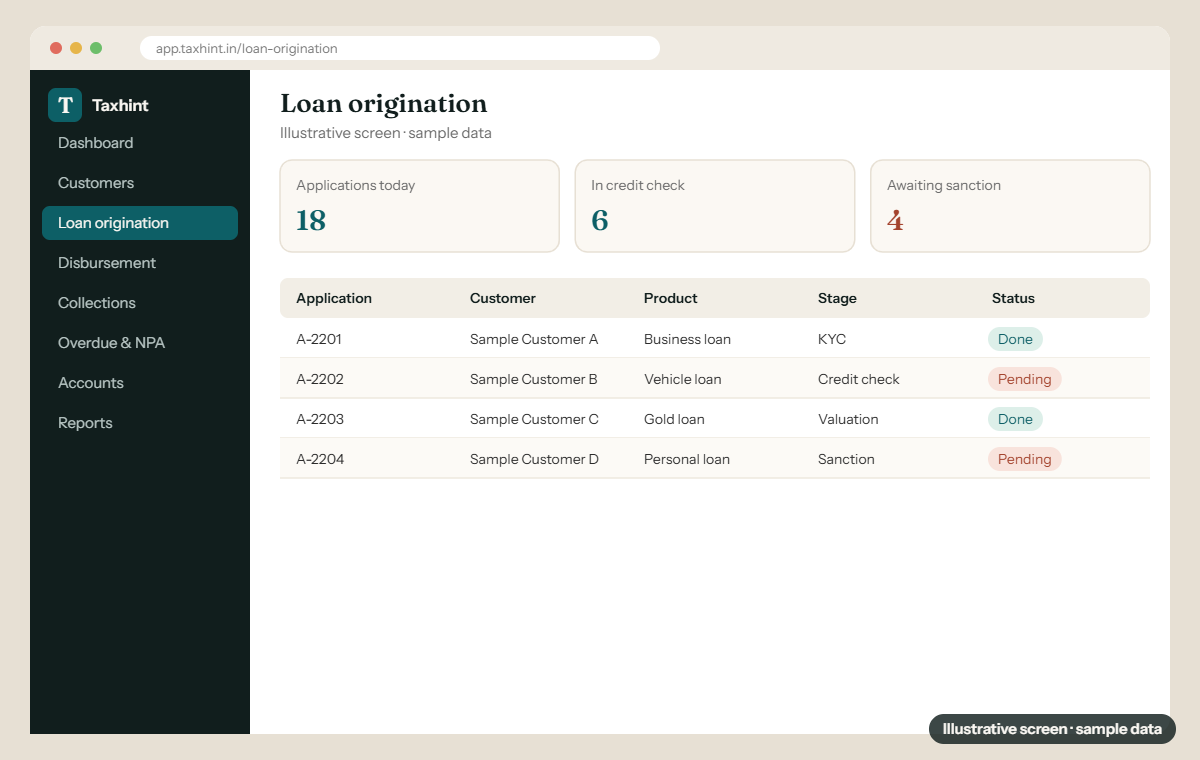
- Application stages with owner and status on each file
- KYC capture with documents attached to the customer, not to the loan
- Credit check notes, sanction conditions and approval levels
- Disbursement against conditions, with a record of who released it
2. Products, schedules and charges
Every NBFC has a mix of products. The software should let you define each one without a developer: rate, tenure, EMI or bullet schedule, processing fee and penal charges. If you lend against gold or vehicles, see how those collateral modules sit inside the main system, as on our gold loan and auto loan pages.
- Flat and reducing balance schedules
- Part payment, foreclosure and top-up that recalculate correctly
- Fees and charges set per product
- Collateral and guarantor records tied to the loan
3. Collections and recovery
Collections is where cash comes in, so entry should be fast and posting should be automatic. Field staff need a simple way to record receipts, which is what a loan collection app is for.
- Due list by branch, agent and date
- Receipts posted to loan account and cash book together
- Follow-up notes and promises to pay on the account
- Agent-wise collection and efficiency reports
4. Overdue, NPA and provisioning
This is the report your management, auditor and lenders will question first. Ask to see how a loan moves from current to overdue to NPA as days pass, and how the provision figure changes.
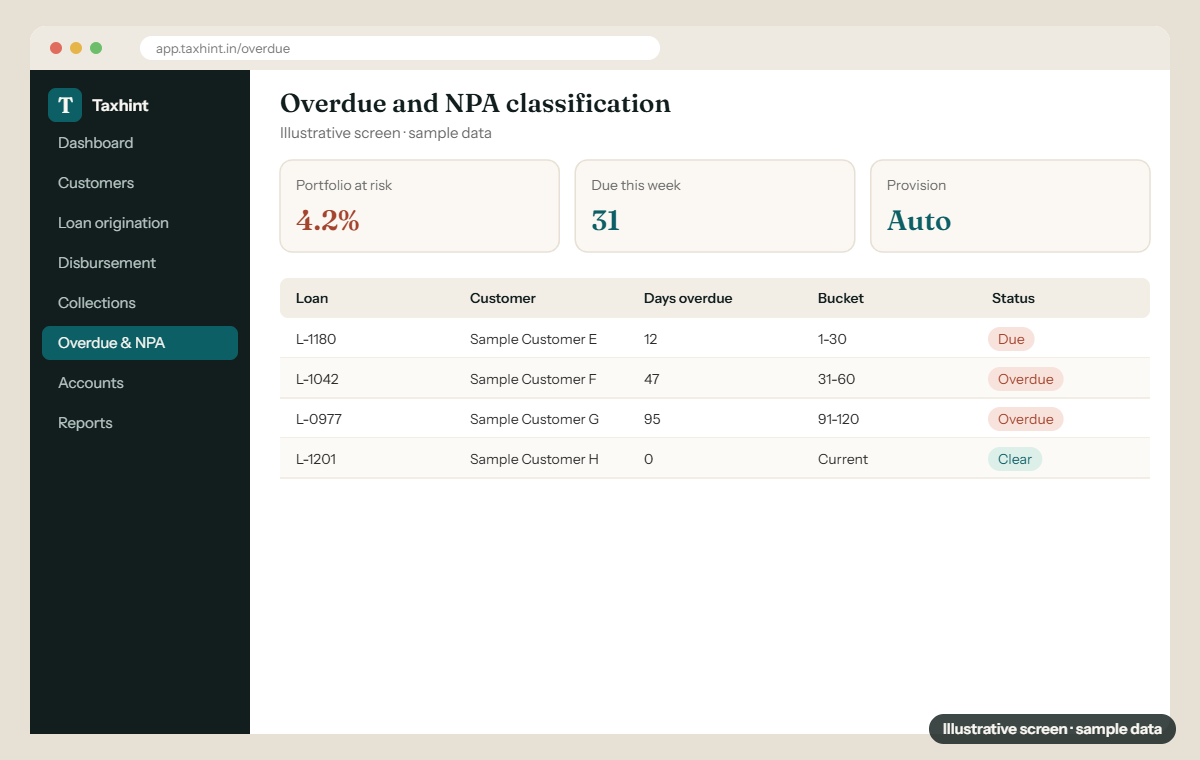
- Overdue buckets by days, updated daily
- NPA classification with the rules visible, not hidden
- Provision calculation you can trace to each loan
- Portfolio-at-risk and ageing reports on demand
NBFC rules change from time to time, so please verify the current directions for your category with your auditor and ask the vendor how updates reach you.
5. Accounts and reports
- Every loan entry posts to the ledger on its own
- Trial balance, balance sheet and day book at any date
- Period locking so closed months cannot be changed
- Data and statements your CA needs for audit and regulatory returns
For the full range of lending modules, see our NBFC software page, the broader loan management software, and the core banking system. All fintech products are listed on our fintech software page.
6. Control and support
- Role-wise logins and approval limits
- Activity log for every change
- Backups and full data export on request
- Branch-wise working and reporting
- Support with named contacts and written response times
How to test a vendor properly
- Share three real product types you offer and ask them to set up each live.
- Ask them to take one loan through application, sanction, disbursement and two repayments.
- Let that loan go overdue in the demo and ask for the NPA bucket and provision.
- Ask for a trial balance and ageing report from the same data.
- Ask what happens on a wrong entry: reversal with a log or silent edit.
- Get the complete cost in writing, including setup, support and any per-user charge.
- Ask for a written plan to import your existing loan book and who checks the opening balances.
A vendor who struggles with steps 3 and 4 is showing you how their month-end will look.
FAQs
What should NBFC software do that a normal loan tracker cannot?
It should run the whole loan life: application, KYC, sanction, disbursement, schedule, collection, overdue, NPA and closure, and post every step to the ledger. A tracker records loans. NBFC software also controls them and produces the reports.
Can one software handle different loan products?
It should. Each product (business, vehicle, gold, personal and others) needs its own rate, tenure, charges and schedule rules inside the same customer record. Ask to see two different products set up live.
How does NPA classification work in software?
The software ages each loan by days overdue and moves it through buckets. Provisioning rules differ by NBFC category and RBI directions, so please verify the current norms with your auditor and ask the vendor how rules are configured and updated.
Does the software file RBI returns for us?
Ask exactly which reports it produces and in what format. Many systems give the data and statements your CA needs, while the actual filing is done on the RBI portal. Verify current return requirements with your compliance advisor.
Do we need a collection app for field staff?
If you collect at the doorstep, yes. A collection app lets field staff record receipts on the spot, and those receipts should post to the loan account and cash book without re-entry.
Can we move our existing loan book into new software?
Usually yes. Ask for an import plan covering customers, running loans, past repayments and opening balances, and make the trial balance after import a written acceptance test.
Want to see NBFC software on your own loan products? Talk to Taxhint on +91 93117 95484 or [email protected], or visit taxhint.in.