November 24, 2026 · Guides
Chit Fund Software: 12 Features Every Foreman Needs
Spreadsheets work for one small chit. They stop working when you run many groups, hundreds of tickets and monthly auctions with dividends. Chit fund software replaces the rework and lowers disputes. Here are the features worth asking for.
In this guide
- 1. Group setup
- 2. Subscribers and tickets
- 3. Monthly collections
- 4. Auctions
- 5. Commission and dividend
- 6. Prize payments and security
- 7. Accounts and reports
- 8. Control and support
- How to test a vendor
- FAQs
1. Group setup
Every group has its own chit value, number of members, subscription, duration, commission and dividend rule. The software should keep these per group and apply them without anyone touching a formula.
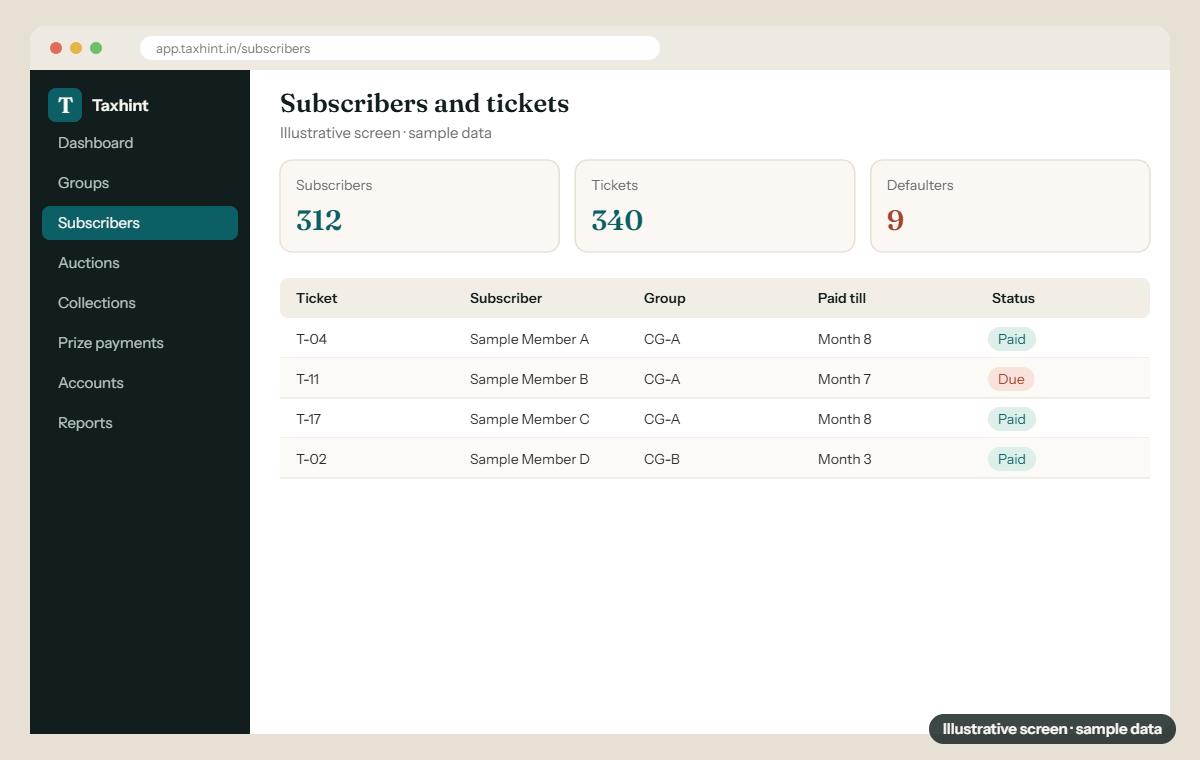
2. Subscribers and tickets
A subscriber can hold more than one ticket, and a ticket can be transferred. Ask how the software handles this, along with KYC, nominee and guarantor details.
3. Monthly collections
- Due list by group, month and collection agent
- Receipts posted to the ticket and the cash book together
- Penalty or interest on late payment as per the agreement
- Defaulter list that blocks bidding automatically
4. Auctions
- Only eligible tickets can bid
- Every bid recorded with its round and amount
- Auction minutes generated from the data
- Lot or tie-break handling as the agreement requires
The steps are explained in our guide to the chit fund auction process.
5. Commission and dividend
The software should apply your commission rule, work out dividend and show each ticket’s net payable. See how it is calculated in chit fund dividend calculation. Commission limits are set by law, so please verify them for your state.
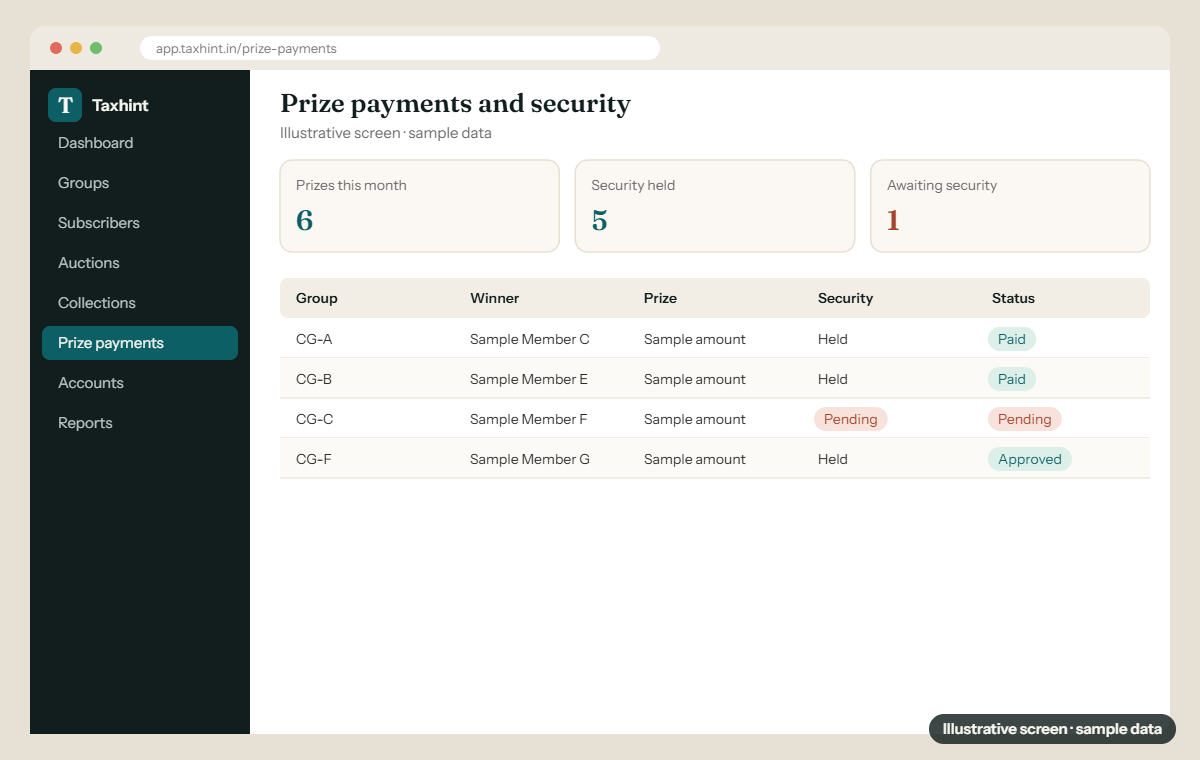
6. Prize payments and security
Prize money should be paid only after security and documents are recorded. The software should show what is pending and who approved the payment.
7. Accounts and reports
- Entries post to the ledger automatically
- Group-wise statements for each subscriber
- Trial balance, balance sheet and day book
- Reports the Registrar or auditor may ask for
8. Control and support
- Role-wise logins for cashier, agent, manager and auditor
- Activity log for every change
- Backups and a data export whenever you ask
- Branch-wise working if you have more than one office
How to test a vendor
- Set up two groups with different commission and dividend rules.
- Run a month of collections, including one late payment.
- Run an auction and check dividend by hand.
- Release a prize with and without security recorded.
- Ask for a subscriber statement and a trial balance.
- Ask for the full cost in writing and the data import plan.
See our chit fund software page and, if you are starting a chit business, chit fund registration. Read what a chit fund is for the basics, and see all products on fintech software.
FAQs
Can one software run many chit groups together?
Yes, if each group has its own rules for commission, dividend and eligibility. Ask to see two different groups in a demo.
Does the software calculate dividend automatically?
Good software does, using the commission and dividend rule set for each group. Check the result by hand once during the demo.
Can a subscriber hold multiple tickets?
It should. Ask how tickets are tracked, transferred and shown on the subscriber statement.
Can it stop defaulters from bidding?
Yes, if eligibility rules are set. The defaulter list should block bidding until dues are cleared, as your agreement requires.
Does it help with Registrar reporting?
It keeps agreements, auctions, security and accounts in one place and prepares reports. Please verify the exact format your state needs.
Can we move from Excel to software?
Usually yes. Ask for an import plan for groups, tickets, past auctions and balances, with the opening trial balance as the acceptance test.
Want to see chit fund software run your groups? Talk to Taxhint on +91 93117 95484 or [email protected], or visit taxhint.in.