November 24, 2026 · Guides
MSME Loans With Guarantee Cover: Tracking Scheme Details in Software

Some MSME loans carry a credit guarantee from a scheme, which reduces the lender’s risk. The scheme has conditions on eligibility, fees, reporting and claims, and those conditions are updated by the scheme authority.
Please verify the current conditions with the scheme provider or your CA before you rely on them.
This guide is about keeping the records so that claims are not lost to paperwork.
In this guide
Record the cover
Per loan.
- Scheme name, cover reference and date.
- Covered amount and cover period.
- Fee paid and date.
- Eligibility checks done at sanction.
Reporting and renewal
Do not let cover lapse.
- Reminders before cover or fee dates.
- Periodic data submissions as the scheme requires.
- Updates for restructuring or closure.
If a loan goes bad
Be claim ready.
- Recovery steps tried and documented.
- Dates and notices on file. See recovery code of conduct.
- Claim papers prepared from the record.
Reports
See the covered book.
- Covered and uncovered loans separately.
- Overdue among covered loans.
- Cover expiry list.
See business loan software. Rules differ by state and lender, so please verify with your CA or CS before you finalise your policy.
| Item | Why |
|---|---|
| Cover reference | Claim basis |
| Fee date | Avoid lapse |
| Notices | Claim proof |
Tracking guarantee cover for small business loans
Some small business loans are covered by credit guarantee schemes. Lenders need to track which loans are covered, the cover details and the steps for claims and fees. Software helps by keeping this on the loan record instead of in separate sheets.
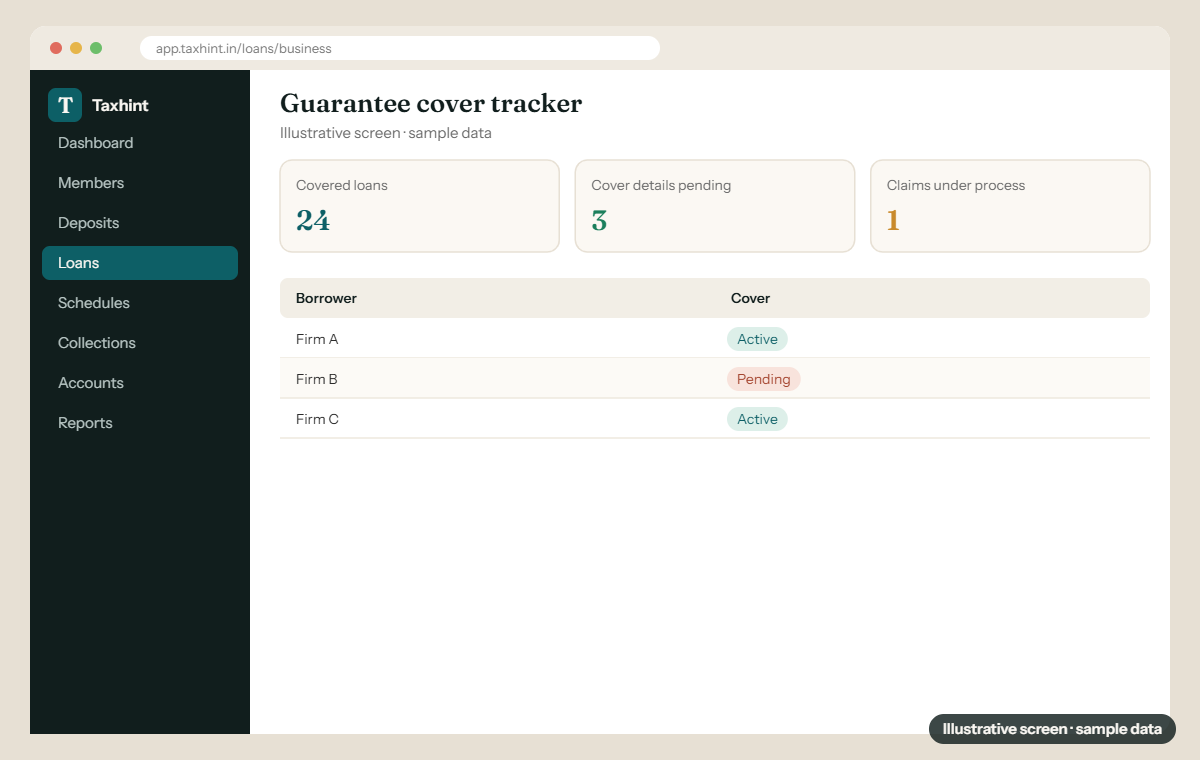
Illustrative example: the system marks a loan as covered, shows the reference and the dates, and lists loans where an action such as a fee payment is due.
Mistakes to avoid
- Not recording that a loan is covered.
- Missing an action date.
- Losing the supporting documents.
- Different data in the guarantee records and the loan system.
Steps to set it up
- Add fields for cover details on the loan record.
- Set reminders for actions and dates.
- Store the documents against the loan.
- Run a monthly report of covered loans and pending actions.
- Reconcile with the scheme records.
Points to confirm
- Current scheme terms and eligibility; check the official source.
- Please verify with your CA, CS or lawyer before you rely on it.
Working with the scheme rules
Scheme terms may change, so keep a dated copy of the rules you used for each loan. Train staff on what is covered and what is not.
Review pending claims regularly with the manager.
- Dated copy of scheme terms
- Staff training
- Regular claims review
Monthly tracking routine
At each month end, list covered loans, pending actions and due dates, and assign each to a person. Review this with your team once a quarter and update your checklist, because real cases teach more than the first draft.
- Covered loan list
- Pending actions
- Owner and date
Questions for your credit team
Ask which loans are covered, what actions are pending and who owns each action. Put the answer in writing and revisit it every quarter, because the first version is rarely the best.
- Covered loans
- Pending actions
- Owners
FAQs
What is a credit guarantee scheme?
A scheme that covers part of the lender’s loss on eligible loans.
Does every MSME loan qualify?
No. Please verify eligibility with the scheme provider.
Who pays the fee?
As per scheme rules and your agreement.
Why track cover in software?
To avoid missing dates and to support claims.
Want cover details and dates tracked with each MSME loan? Book a demo of Taxhint loan software. Talk to Taxhint on +91 93117 95484 or [email protected], or visit taxhint.in.