November 24, 2026 · Guides
Salary Deduction in Thrift Society Software
Many credit and thrift societies serve salaried members, and their loan and thrift instalments are deducted from salary by the employer. It makes recovery easy, but only if the society sends the right list every month and checks what comes back. Done by hand, it is a monthly headache. Here is how software handles it.
In this guide
- 1. Employer and member set-up
- 2. The monthly deduction file
- 3. Receiving the money
- 4. Short and missed deductions
- 5. Reports
- FAQs
1. Employer and member set-up
Each member is linked to an employer and, where needed, a department or unit. The deduction set for the month includes thrift contribution, loan EMI and any other recurring charge.
- Employer master with contact and deduction day
- Member linked to employer with employee code
- Deduction amount per member: thrift, EMI, share and others
- Start and stop dates for each deduction
2. The monthly deduction file
Before the salary run, the software should produce a list per employer in the format their accounts section uses, with member names, codes and amounts.
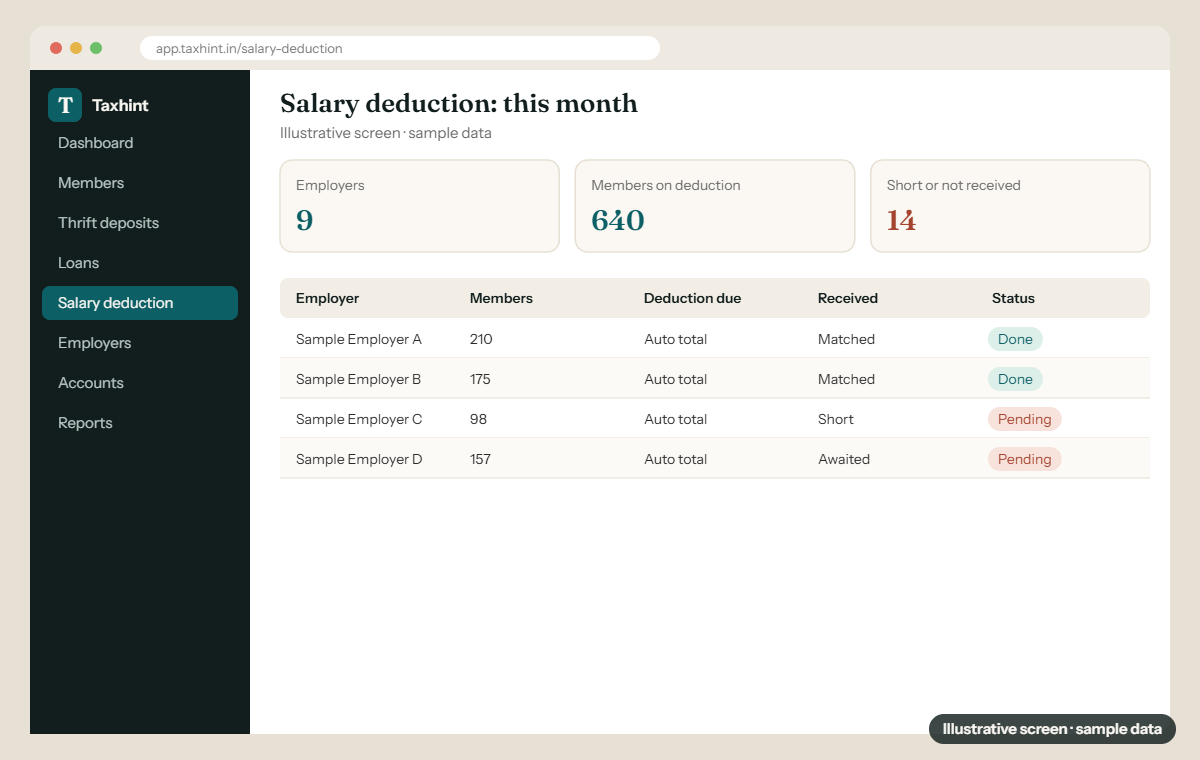
- One list per employer, with total
- Changes since last month highlighted: new loans, closures, revised amounts
- Print or file output for the employer
3. Receiving the money
When the employer pays, match the amount to the list. A single cheque or transfer should split across every member automatically.
- Bulk receipt entry against the employer list
- Auto split to thrift, EMI and other heads
- Short deductions flagged member-wise
- Members not deducted, and why, recorded
4. Short and missed deductions
If the salary is short or the member is on leave, the deduction may fail. These members need follow-up the same month, or the instalment becomes overdue. The software should list them separately for the recovery team.
5. Reports
- Employer-wise due, received and difference
- Member-wise deduction history
- Members who left the employer, with loans still open
- Thrift and loan balances by employer
See our credit and thrift society software and co-operative society software. Related guides: overdue recovery, the software checklist and fintech software.
FAQs
What is salary deduction in a thrift society?
The employer deducts the member’s thrift and loan instalments from salary and pays them to the society.
Can software prepare the employer list?
Yes. It can produce an employer-wise list with member codes and amounts each month.
How do we handle a lump-sum payment from the employer?
Enter it as a bulk receipt against the list, and the software splits it across members and heads.
What if the employer deducts less?
The short amounts are flagged member-wise so you can follow up the same month.
What if a member leaves the employer?
Move the member off salary deduction and set a new way of recovery for any open loan.
How do we check a vendor’s salary deduction feature?
Ask any vendor to show salary deduction on sample data, including short deductions and members who have left the employer.
Want to see salary deduction in society software? Talk to Taxhint on +91 93117 95484 or [email protected], or visit taxhint.in.