November 24, 2026 · Guides
Loan Repayment Schedule Explained: Principal, Interest and Balance
A repayment schedule is a table that shows every instalment, how much is interest and how much is principal, and the balance left. Borrowers often see only the EMI amount and wonder why the balance falls slowly in the first months.
This guide explains the table with a small example.
In this guide
How each instalment is split
Interest is charged on the balance.
- Month 1 interest is balance times monthly rate.
- The rest of the EMI reduces principal.
- Next month the balance is lower, so interest is lower and principal is higher.
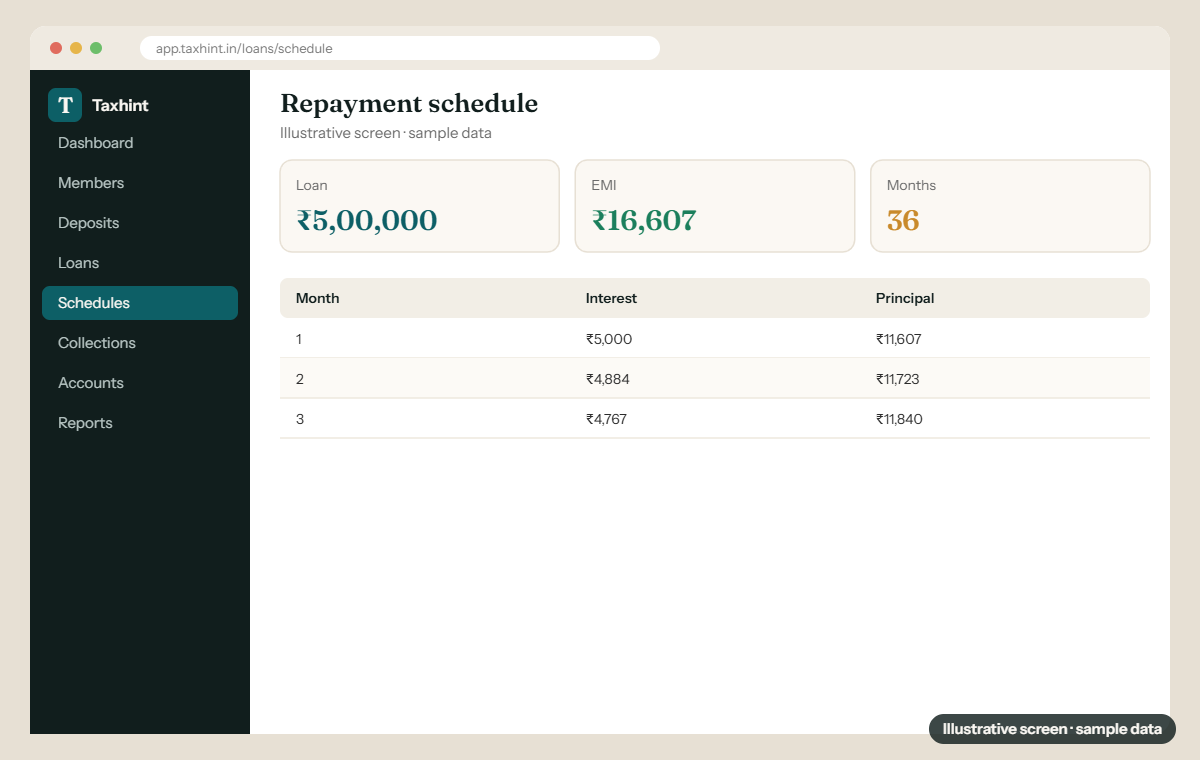
- Example: ₹5,00,000 at 12% for 36 months has an EMI of about ₹16,607, with ₹5,000 interest in month 1.
Reducing and flat methods
The method changes the numbers.
- Reducing balance charges interest on what is still owed.
- Flat charges interest on the full amount for the whole term.
- A flat rate looks lower but costs more in effect.
Compare with the flat vs reducing calculator.
What to check
Verify before you share it.
- Total of principal column equals the loan amount.
- Closing balance reaches zero at the end.
- First and last instalment dates are right.
- Rounding is shown consistently.
Download the EMI schedule Excel template.
What the borrower needs
Make it readable.
- A printed schedule with the sanction. See sanction letter template.
- A statement on request. See loan statement format.
- A clear foreclosure amount. See foreclosure calculator.
See loan EMI calculator.
A line-by-line check
Take the schedule of a ₹5,00,000 loan at 12% a year for 36 months. The EMI is about ₹16,607. In month 1, interest is ₹5,000 (1% of ₹5,00,000) and principal is about ₹11,607. The new balance is about ₹4,88,393. In month 2, interest is about ₹4,884 and principal about ₹11,723. Check three lines like this on any schedule you issue, and confirm the balance reaches zero in month 36.
Questions borrowers ask
- Why does my balance fall so slowly at first? Because interest is charged on a large balance.
- What if I pay extra? Extra payment reduces principal, and future interest falls. See the prepayment calculator.
- What if I miss one? Penal charges and interest on the overdue may apply as per your agreement.
Giving the borrower the schedule at sanction and answering these questions in advance prevents most disputes later.
Sample schedule extract
| Month | Opening | Interest | Principal | Closing |
|---|---|---|---|---|
| 1 | ₹5,00,000 | ₹5,000 | ₹11,607 | ₹4,88,393 |
| 2 | ₹4,88,393 | ₹4,884 | ₹11,723 | ₹4,76,670 |
| 3 | ₹4,76,670 | ₹4,767 | ₹11,840 | ₹4,64,830 |
Figures are rounded and for illustration. EMI of about ₹16,607 at 12% a year for 36 months. Generate the full table with the Excel template.
Reading a schedule line by line
A repayment schedule lists each due date with the instalment, the interest part, the principal part and the balance after payment. In the early months more of the instalment is interest. Later more is principal. A customer who understands this is less likely to be surprised when a part payment changes the schedule.
Illustrative example: for a loan of 1,00,000 at 12 percent for 12 months, the EMI is about 8,885. The first month interest is 1,000 and the rest of the instalment reduces the principal.
Common mistakes
- Giving the customer a schedule that does not match the system.
- Not updating the schedule after a part payment.
- Rounding differences across months.
- Not showing the final instalment correctly.
Checklist before issuing a schedule
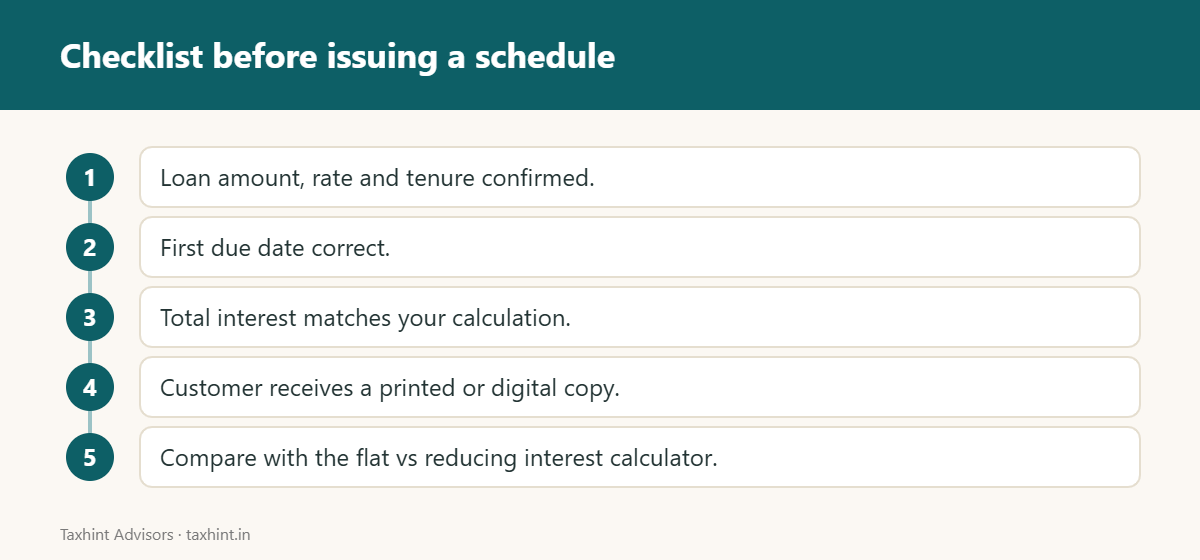
- Loan amount, rate and tenure confirmed.
- First due date correct.
- Total interest matches your calculation.
- Customer receives a printed or digital copy.
- Compare with the flat vs reducing interest calculator.
FAQs
Why is principal small in early months?
Because interest is charged on a high balance, so most of the EMI goes to interest.
What is the difference between flat and reducing?
Reducing charges on the outstanding balance. Flat charges on the full amount.
How do I check a schedule?
Principal should add up to the loan and the balance should end at zero.
Where can I get a template?
Use the EMI schedule Excel template.
Want schedules generated for every loan automatically? Book a demo of Taxhint loan software. Talk to Taxhint on +91 93117 95484 or [email protected], or visit taxhint.in.