November 24, 2026 · Guides
Dormant Accounts in Nidhi Software: Flag, Track, Reactivate
Some member accounts go quiet: no deposit, no withdrawal, no reply to calls. Left alone, they become a risk, because a dormant account can be misused, and an old member can return after years with questions. A clear dormant account process in software protects both sides. Your own policy and the applicable rules decide the details, so please verify them with your CA or CS.
In this guide
- Define dormant in your policy
- Flag and restrict
- Contacting the member
- Reactivation checks
- Long-unclaimed balances
- What auditors look for
- FAQs
Define dormant in your policy
Decide, in writing, how long without activity makes an account dormant, and which types of entries count as activity. Then set it once in the software.
- Inactivity period as a setting per account type
- Interest credit alone usually does not count as member activity
- Different rules for savings, RD and loan accounts if needed
Flag and restrict
The software should mark accounts as dormant on its own and restrict risky actions, such as cash withdrawal, until the member is verified.
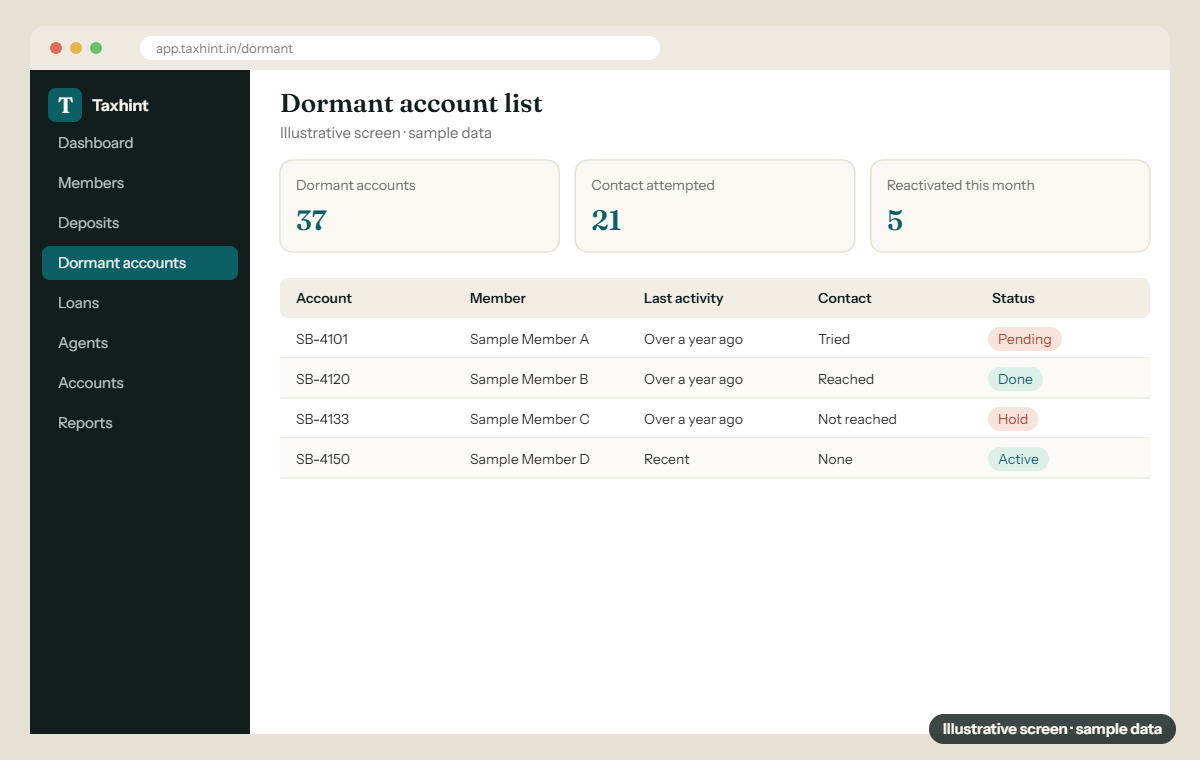
- Automatic flag after the set period
- Withdrawal blocked until verification
- Dormant list by branch and agent
- Count and total balance of dormant accounts in the month-end report
Contacting the member
- Contact attempts recorded with date and outcome
- Address and phone check for returned mail or unreachable numbers
- Nominee details confirmed from the record
- Notes visible to the manager and the auditor
Reactivation checks
When the member returns, treat it as a verification event: fresh KYC check, signature match and manager approval before the account becomes active.
- KYC and signature verification step
- Approval by an authorised user
- Reactivation date and reason recorded
- Dormancy history kept on the account
Long-unclaimed balances
Balances unclaimed for a long time may need special handling under your terms and applicable law. This is a legal matter, so please take advice before you decide how such balances are shown or transferred, and keep a clear list in the software meanwhile.
What auditors look for
A dormant list with dates, contact attempts and approvals tells the auditor that the Nidhi controls inactive accounts. It is part of our Nidhi management software. See also maturity alerts and renewals, new Nidhi company setup and fintech software.
FAQs
What is a dormant account?
An account with no member-initiated activity for a period set by your policy and the applicable rules.
How long before an account becomes dormant?
Your policy sets it. Check any limits in the rules that apply to you.
Can a dormant account earn interest?
That depends on your scheme terms and the rules. Set it as a rule in the software.
How do we reactivate one?
Verify KYC and signature, get approval from an authorised user and record the date and reason.
What about unclaimed balances?
Treatment is set by your terms and the applicable law. Please take advice and keep a list.
Can software stop withdrawals on dormant accounts?
Yes. Withdrawals can be blocked until the member is verified.
Want to see dormant account controls in Nidhi software? Talk to Taxhint on +91 93117 95484 or [email protected], or visit taxhint.in.