November 24, 2026 · Guides
Auditor Access in Nidhi Software: Read-Only Login and Reports
Audit goes faster when the auditor can see the records without asking for a new report each time, and safer when that access cannot change anything. Good Nidhi software gives the auditor a read-only login and a standard set of reports. Audit and filing requirements are specific, so please confirm what your auditor and CA need.
In this guide
A read-only login
Create a separate login for the auditor with view-only rights. It should not be able to post, edit or delete anything, and it should be removed or paused when the audit ends.
- Separate user with read-only role
- Access limited to the financial year under audit if you choose
- Login valid for a set period
- Every view and download recorded in the activity log
Reports the auditor will ask for
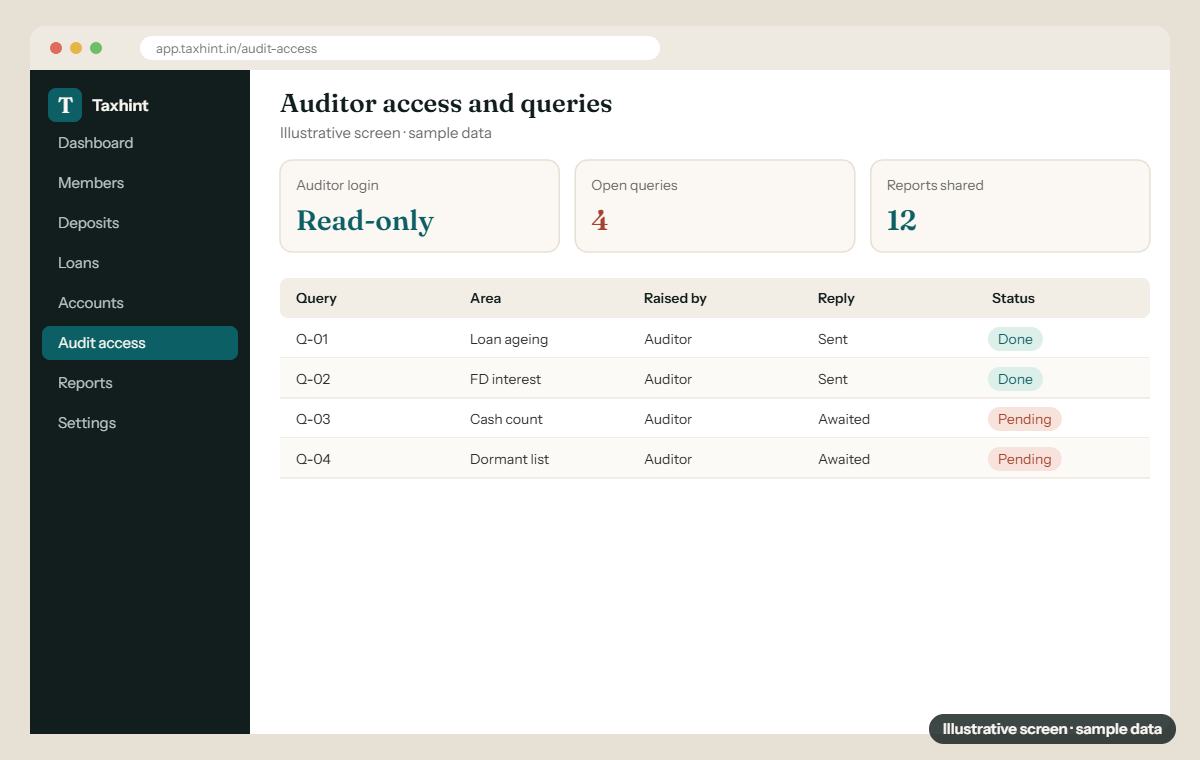
- Trial balance, profit and loss and balance sheet
- Member-wise deposit and loan listings
- Loan ageing and provision workings
- Interest posting summary by scheme
- Cash book, bank reconciliation and day book
- Dormant and unclaimed lists, nominee gaps and KYC gaps
Audit trail
Auditors look for how entries were made and corrected. The log should show who made each entry, who approved it and when, and corrections should appear as reversals rather than deletions.
Tracking queries
Keep audit queries in one list with the area, owner, reply and status. It reduces last-minute surprises and shows what is still open before the report is signed.
After the audit
- Lock the audited year so no entries can change it
- Keep an export of the audited trial balance and reports
- Disable the auditor login
- List adjustments made after the draft, with reasons
See our year-end closing checklist. Auditor access is part of our Nidhi management software. More guides: Excel mistakes and fintech software.
FAQs
Should the auditor get a read-only login?
Yes. It lets the auditor see records without any ability to change them.
Which reports does an auditor usually need?
Trial balance, member-wise listings, loan ageing, interest summary, cash and bank reconciliations and the activity log. Confirm the list with your auditor.
Can we limit access to one year?
Yes, if the software supports year-wise access. Ask for it in the demo.
What is an audit trail?
A record of who made, approved and corrected each entry and when.
What should we do after the audit?
Lock the year, export the final reports and disable the auditor login.
Can software replace the audit?
No. It makes data easier to check, but the audit is done by your auditor.
Want to see auditor access in Nidhi software? Talk to Taxhint on +91 93117 95484 or [email protected], or visit taxhint.in.